Best CRMs for Managing Local Customers on a Budget
Compare low-cost CRMs for local teams—from free plans to $30/user—focused on pipelines, phone tools, and follow-up efficiency.
Best CRMs for Managing Local Customers on a Budget
If you run a local business, the best low-cost CRM is the one your team will use every day. In this list, I’d narrow it down like this: HubSpot for a free start, Bigin for simple setup, Zoho CRM for more tools at a low price, Freshsales for phone-heavy teams, Pipedrive for deal tracking, and Insightly for post-sale project work.
Here’s the short version:
- Price range covered: $0 to $30 per user/month
- Best free starting point: HubSpot
- Lowest paid entry plan: Bigin at $7/user/month
- Best for calls and inbox work: Freshsales
- Best for sales pipeline focus: Pipedrive
- Best if work continues after the sale: Insightly
- Best all-around fit for small local teams: Zoho CRM or Bigin, depending on how much setup you want
A CRM helps you track quotes, callbacks, repeat customers, referrals, and missed follow-ups in one place. And that matters: one 2025 report found CRM users saw a 37% lift in sales productivity.
Best Affordable CRM for Small Business (2026) | Top 5 Compared
sbb-itb-bbaa742
Quick Comparison
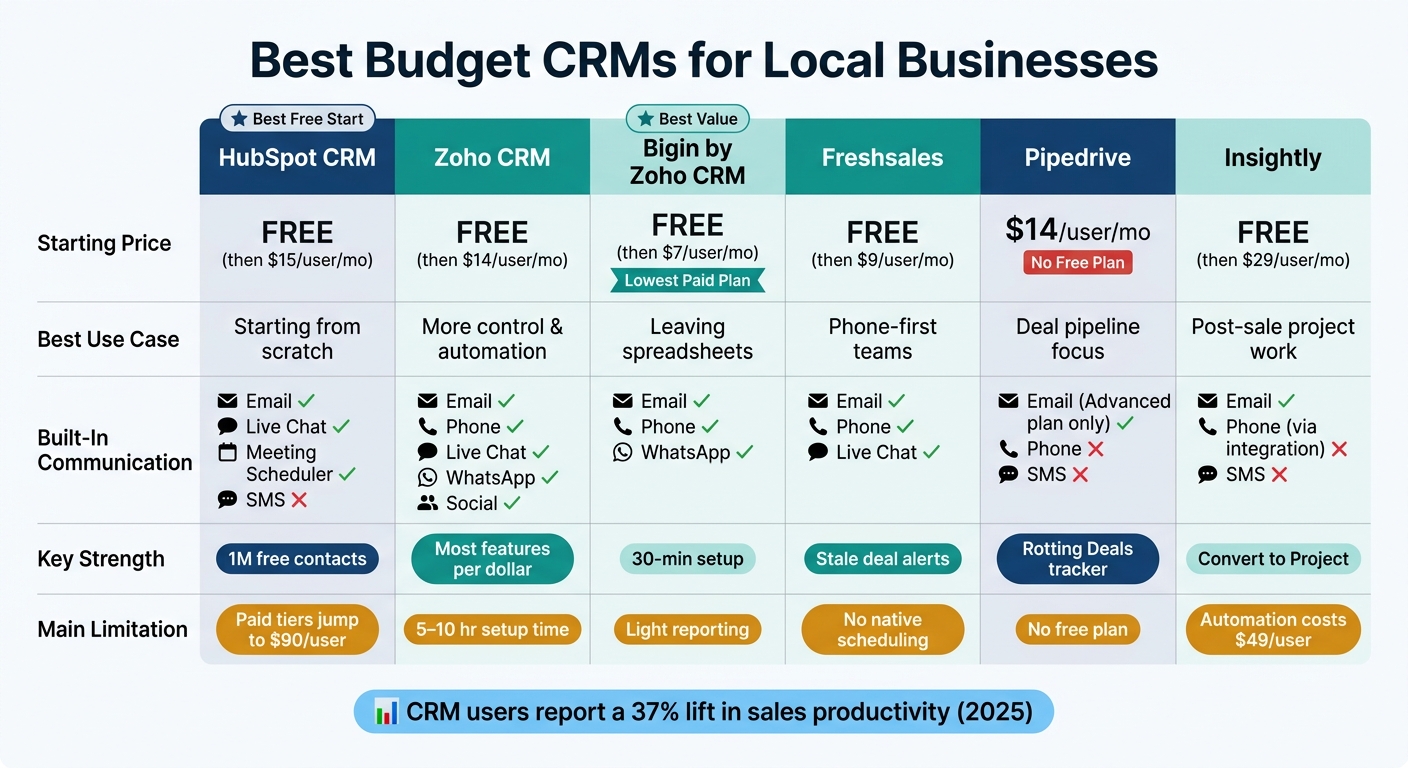
Best Budget CRMs for Local Businesses: Side-by-Side Comparison
| CRM | Starting Price | Best Use Case | Main Draw | Main Limitation |
|---|---|---|---|---|
| HubSpot CRM | $0 | Small teams starting from scratch | Free plan with lots of contacts | Paid tiers jump fast |
| Zoho CRM | $0 / $14/user/month | Teams that want more control | Strong feature set for the price | Takes more time to set up |
| Bigin by Zoho CRM | $0 / $7/user/month | Small businesses leaving spreadsheets | Simple pipeline and fast setup | Lighter reporting |
| Freshsales | $0 / $9/user/month | Call-first businesses | Built-in phone | No built-in scheduling |
| Pipedrive | $14/user/month | Sales-driven teams | Clear pipeline tracking | No free plan |
| Insightly | $0 / $29/user/month | Businesses with post-sale work | Sales-to-project handoff | Automation costs more |
If I were choosing, I’d keep it simple: pick based on how you follow up with customers, not on feature count alone. That’s the lens I’d use in the comparison below.
1. HubSpot CRM
Starting Price
HubSpot gives you a low-cost way in. Its free plan supports up to 2 users and 1,000,000 contacts, which is more than enough to test your process without spending a dollar.
If you need more, the Starter Customer Platform costs $15 per seat/month when billed annually. That plan bundles Sales, Marketing, Service, CMS, and Commerce tools. The Professional tier jumps to $90 per seat/month and adds a required $1,500 onboarding fee, which can feel steep for many local businesses.
That price gap matters. A cheap starting point sounds great, but the bigger issue is whether the entry plan can handle day-to-day follow-up without getting in your way.
Contact and Pipeline Tracking
HubSpot keeps each contact on a single timeline with emails, notes, and call logs in one place. It also sets follow-up reminders and tasks, so leads are less likely to slip through the cracks.
For a local business, that can make a big difference. You can track repeat customers, stay on top of quote follow-ups, and keep referrals from turning into a mess of sticky notes and inbox threads.
The pipeline view uses a visual board with custom stages, which works well for tracking quotes, proposals, and service requests.
Built-In Communication
The free plan includes email tracking, website forms, live chat, and a meeting scheduler that connects with Google or Outlook calendars.
That setup covers a lot of the basics. You can see when someone opens a quote, let customers book time with you, and bring in website leads without piling on extra software.
One catch: SMS is not built in. You’ll need an integration like Twilio for that. So if your business leans hard on text messaging, that’s worth noting.
HubSpot makes the most sense for teams that run on email, forms, and scheduled callbacks.
Fit for Local Businesses
For local customer management, HubSpot fits some business types better than others. It works well for retail shops, independent consultants, real estate agents, and service businesses that manage customer relationships from an office or storefront.
It’s less suited for field service teams because it doesn’t include native dispatching, routing, or on-site payments. In plain terms, if your staff spends most of the day out on the road, HubSpot may leave a few gaps.
For a Rockwall boutique, salon, or accountant, the free tier covers the core CRM basics while keeping startup cost at $0.
2. Zoho CRM
Zoho CRM is a better match for local teams that want lower costs, more automation, and space to grow.
Starting Price
Zoho CRM’s Forever Free plan supports up to 3 users. The Standard plan starts at $14 per user/month when billed annually. It adds 10 pipelines, workflow automation, scoring rules, and mass email.
Move up to Professional ($23 per user/month) and you get Blueprint process automation plus two-way email sync. Enterprise ($40 per user/month) adds Zia AI.
Contact and Pipeline Tracking
Zoho CRM ties leads, contacts, and accounts into one timeline. That means notes, past interactions, and deal history for quotes, bookings, and repeat service all stay together instead of getting scattered.
The Standard plan’s scoring rules help teams sort leads based on behavior. And on Professional plans and up, Blueprint can require key steps before a deal moves ahead, like attaching a quote or logging a call. For a busy local team, that kind of guardrail can stop deals from slipping through the cracks.
Built-In Communication
Zoho CRM brings email, phone, live chat, WhatsApp Business, and social media into one feed, so leads from calls, texts, and email don’t end up all over the place.
SalesSignals adds real-time alerts when someone opens an email, visits your pricing page, or interacts on social media. That’s useful when timing matters and you want to follow up while the lead is still warm.
The mobile app also includes RouteIQ for route planning and an offline mode, which lets you log visits even without a signal.
Fit for Local Businesses
Zoho CRM works well for local businesses that want more control without enterprise-level pricing, especially when paired with Zoho Books for invoicing and Zoho Bookings for appointments. For Rockwall contractors, salons, and agents, it can handle appointments, invoices, follow-ups, and field visits without sending costs too high.
The main downside is setup time. Initial configuration can take 5 to 10 hours, and that matters for Rockwall owners who need to get moving fast.
If Zoho CRM feels like more system than you need, the next option cuts things back for smaller teams.
3. Bigin by Zoho CRM
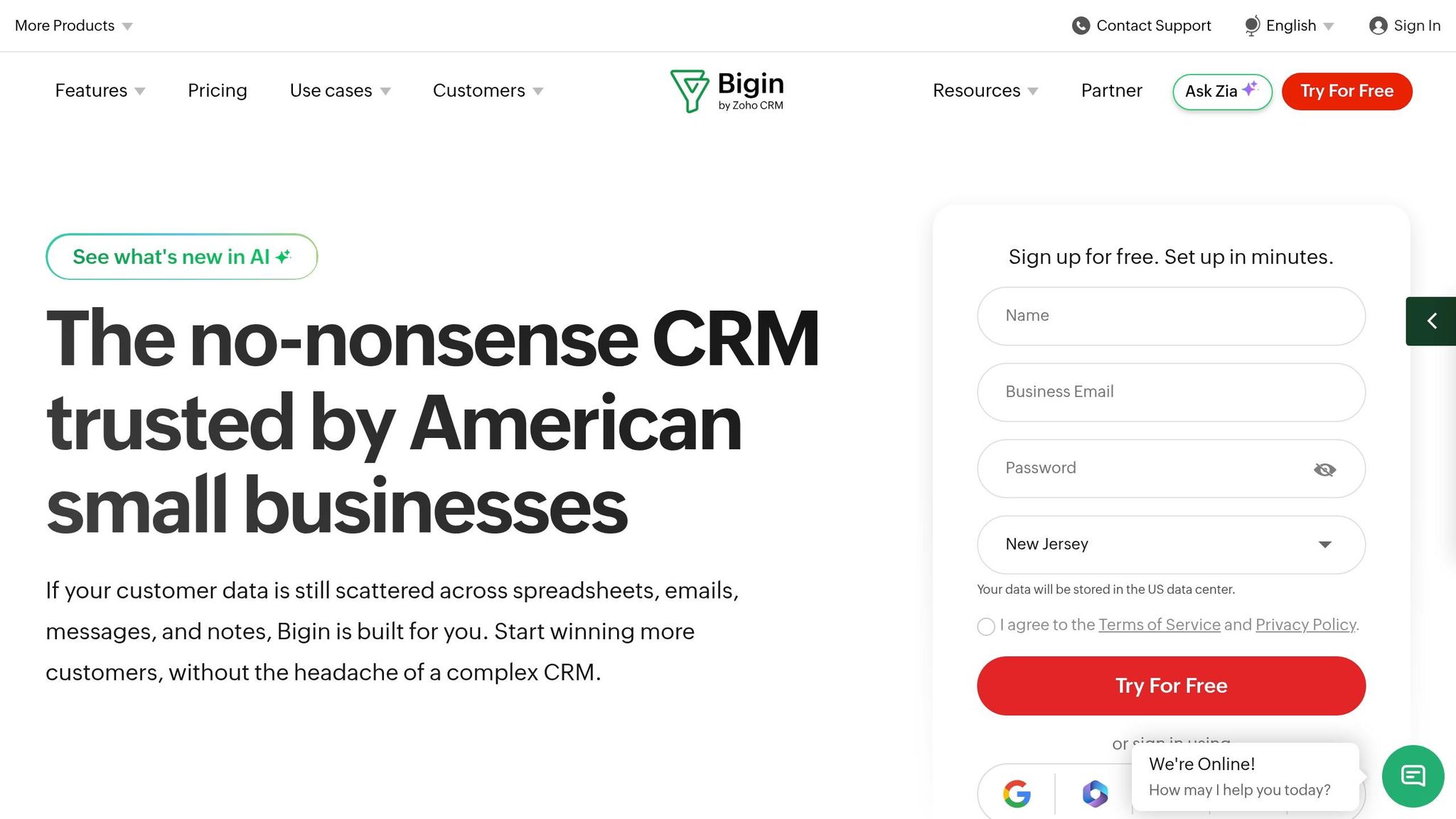
If Zoho CRM feels like too much, Bigin gives you the same ecosystem with a lot less setup. It’s Zoho’s simpler CRM for small teams, built for groups of 1–20 that want the basics without a long rollout. More than 50,000 small businesses use it. Setup usually takes under 30 minutes, and you don’t need IT help to get started.
Starting Price
Bigin keeps pricing simple. The Free plan includes 1 user, 500 records, and 1 pipeline. Express costs $7/user/month when billed annually, or $9/user/month month to month, and includes 50,000 records, 3 pipelines, and 10 workflow automations. Premier starts at $12/user/month when billed annually, or $15/user/month monthly, for teams that need more room to grow.
Contact and Pipeline Tracking
At the center of Bigin is a visual drag-and-drop pipeline board. That makes it easy for small teams to track leads without bouncing between tabs or fighting with spreadsheets. Each contact has a full history in one place, including emails, calls, notes, and deal status.
The Express plan also includes 10 workflow automations, which can help keep follow-ups from slipping through the cracks.
Built-In Communication
Bigin comes with a built-in phone system for making and receiving calls, recording them, and routing calls. It also syncs with Gmail and Outlook, and it connects with WhatsApp Business for follow-ups.
The mobile app adds a business card scanner that fills in contact fields for you. That’s handy at networking events, trade shows, or when you’re out in the field.
Fit for Local Businesses
Bigin makes sense for Rockwall-area shops, service providers, and solo operators who want more order than a spreadsheet can give them, but don’t want the weight of a full CRM platform. It’s a solid middle ground.
And if your team outgrows it, there’s a one-click migration path to Zoho CRM with no data loss. The tradeoff is that reporting is lighter, and there are fewer custom modules. For small local teams, though, that low-friction setup can be exactly the point.
4. Freshsales
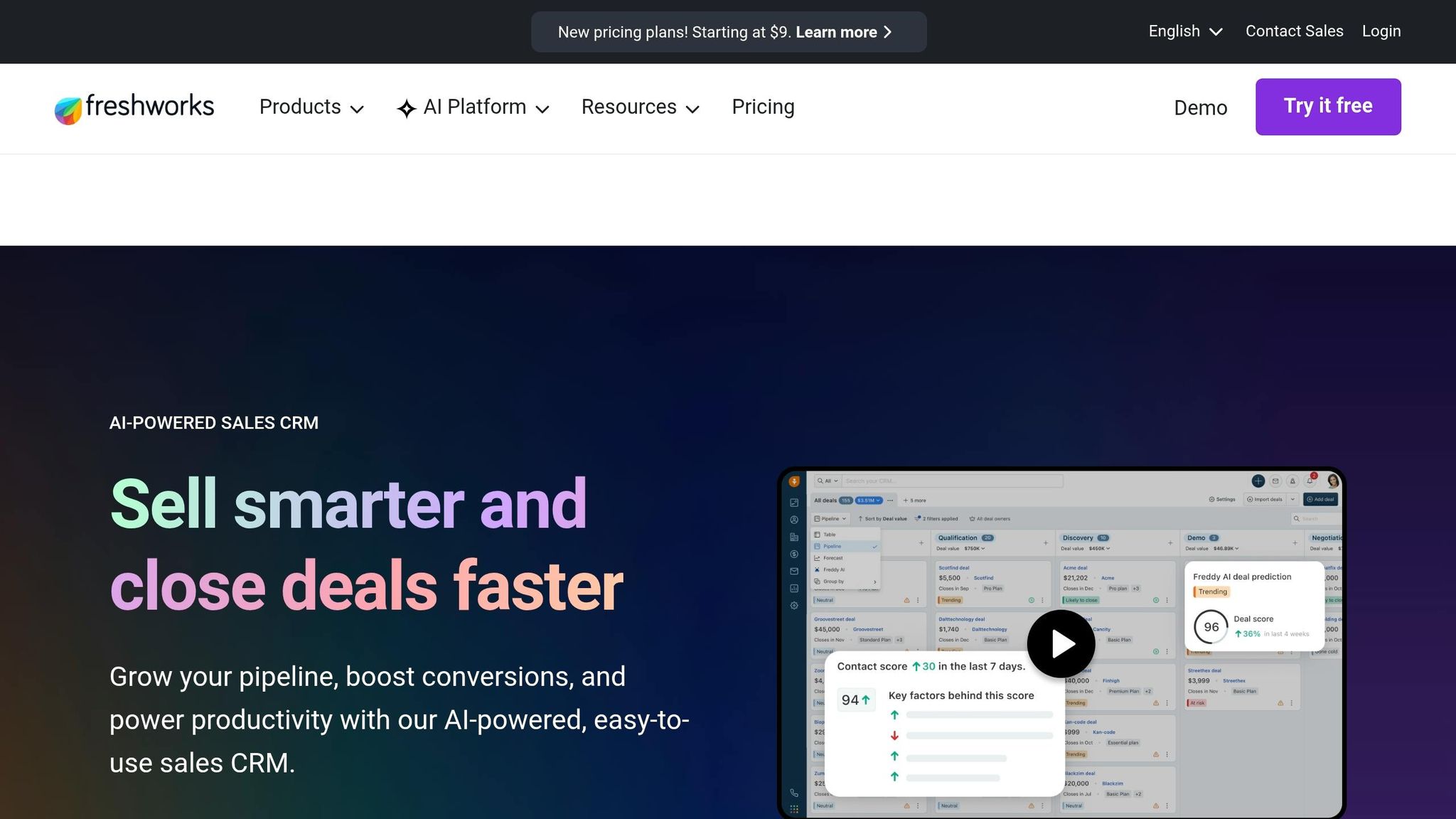
Freshsales is a solid pick for local teams that run on phone calls and email - real estate offices, law firms, dental practices, and other service businesses with a steady flow of inbound leads. It gives you more automation than the lighter CRMs listed above, but without pushing you into enterprise-level pricing.
Starting Price
The Free plan costs $0 for up to 3 users and includes contact management, a built-in phone, and live chat. The Growth plan starts at $9/user/month when billed annually. It adds email sequences, basic automation, and a mobile app. The Pro plan starts at $39/user/month billed annually and adds Freddy AI lead scoring, advanced reporting, custom modules, and up to 10 sales pipelines.
For most small businesses, the lower tiers will handle the day-to-day work just fine.
Contact and Pipeline Tracking
Freshsales uses a visual Kanban board for deal tracking, which makes the pipeline easy to scan. You can drag and drop leads from one stage to the next without digging through menus.
One feature that stands out is stale deal indicators. If a deal sits too long without activity, it turns red on its own. The default window is 30 days. That’s a simple cue, but it helps teams spot deals that are slipping before they go cold.
Freshsales also logs emails and phone calls on its own through automatic activity logging. So instead of spending time updating records by hand, your team can focus on follow-up. For busy offices, that can save a lot of back-and-forth admin work.
Built-In Communication
Every plan includes a built-in phone system, even the free one, so you may not need a separate VoIP tool. Freshsales also offers two-way sync with Gmail and Outlook.
The mobile app includes GPS location tracking, which can help contractors and field service teams making site visits around Rockwall. If your staff is often out of the office, that kind of mobile support can make daily coordination a lot smoother.
Fit for Local Businesses
Freshsales is at its best for appointment-heavy or phone-first businesses. It’s a good match for teams that need to respond fast, track conversations, and keep leads moving.
One gap to watch: it doesn’t include native scheduling or invoicing, so some businesses will still need tools like Calendly or QuickBooks.
5. Pipedrive
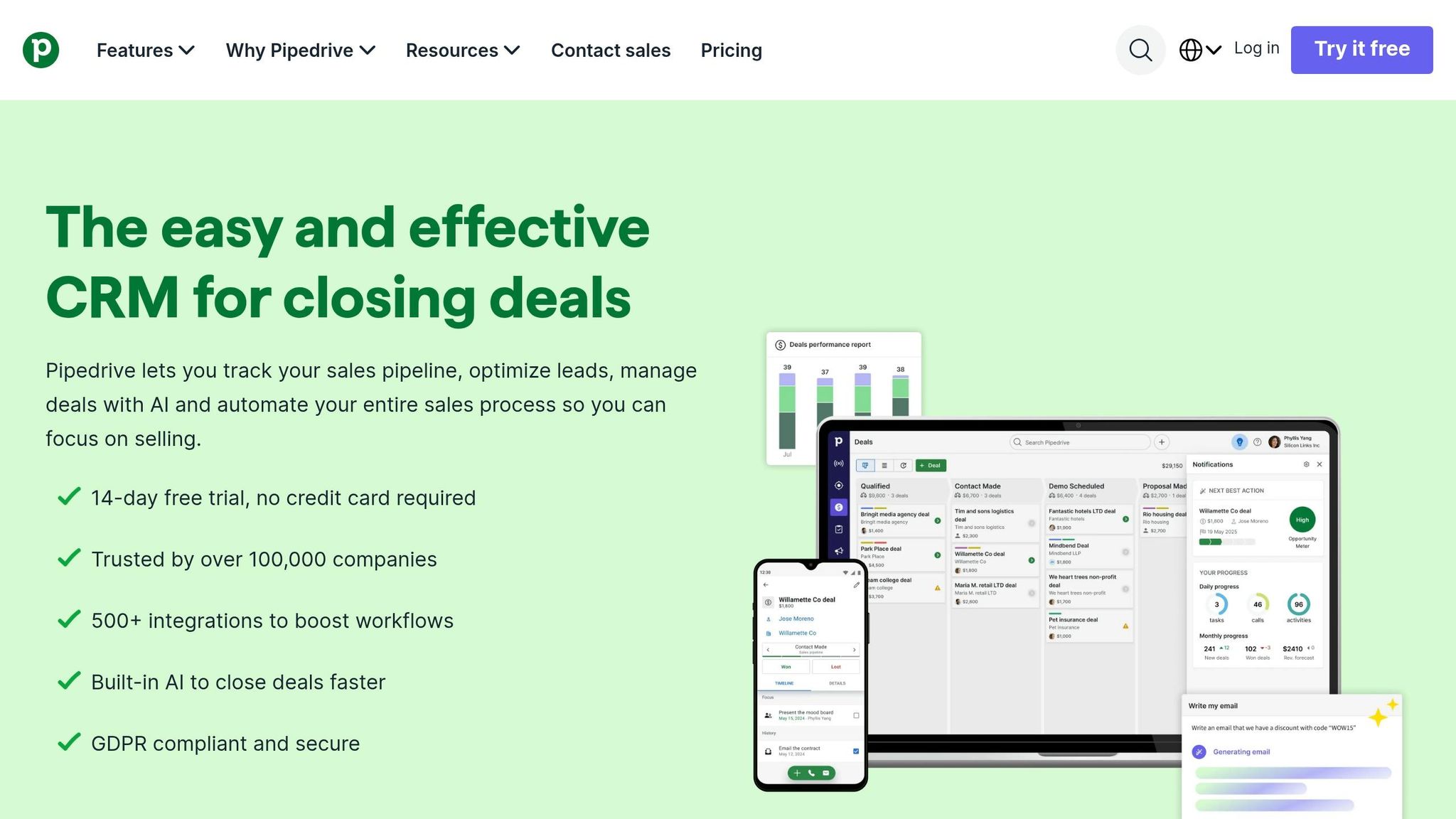
If Freshsales leans into fast response, Pipedrive leans into pipeline control. It’s built first and foremost for managing deals. For contractors and consultants in Rockwall, that can be a good fit when quotes, follow-ups, and deal movement matter more than having every tool under one roof.
Starting Price
Pipedrive’s Essential plan starts at $14 per user/month when billed annually. There’s no free plan, just a 14-day trial.
At that starting price, you get:
- Unlimited visual pipelines
- Up to 3,000 open deals
- Access to 500+ integrations
That said, features many local businesses expect - like web forms and email marketing - cost extra. So the math only works if Pipedrive’s pipeline tools are doing most of the work for your team.
Contact and Pipeline Tracking
This is where Pipedrive stands out. Its Kanban-style pipeline is the main draw. You can move deals through custom stages, and activity-based prompts help your team see the next step, whether that’s a call, email, or meeting.
It also includes Rotting Deals, which marks stale leads in red so reps can jump in before those deals fade out. It’s a simple feature, but in day-to-day sales work, that kind of visual nudge can save deals that might otherwise slip away.
Built-In Communication
Two-way email sync starts on the Advanced plan. On lower tiers, email is logged only through BCC.
Pipedrive also doesn’t come with a native dialer or SMS. If your team relies on texting prospects or booking through built-in scheduling tools, you’ll need integrations to make that happen.
Fit for Local Businesses
Pipedrive gets a 7.8/10 for local business fit and holds a 4.3/5 rating on G2 across more than 8,400 reviews.
It tends to work better for sales-led local businesses than for retail shops, dispatch-heavy teams, or service companies that need built-in scheduling and invoicing. If your main pain point is keeping deals moving, Pipedrive makes a lot of sense. If you need a CRM to handle more of the business beyond sales flow, the next option starts to fill that gap.
6. Insightly
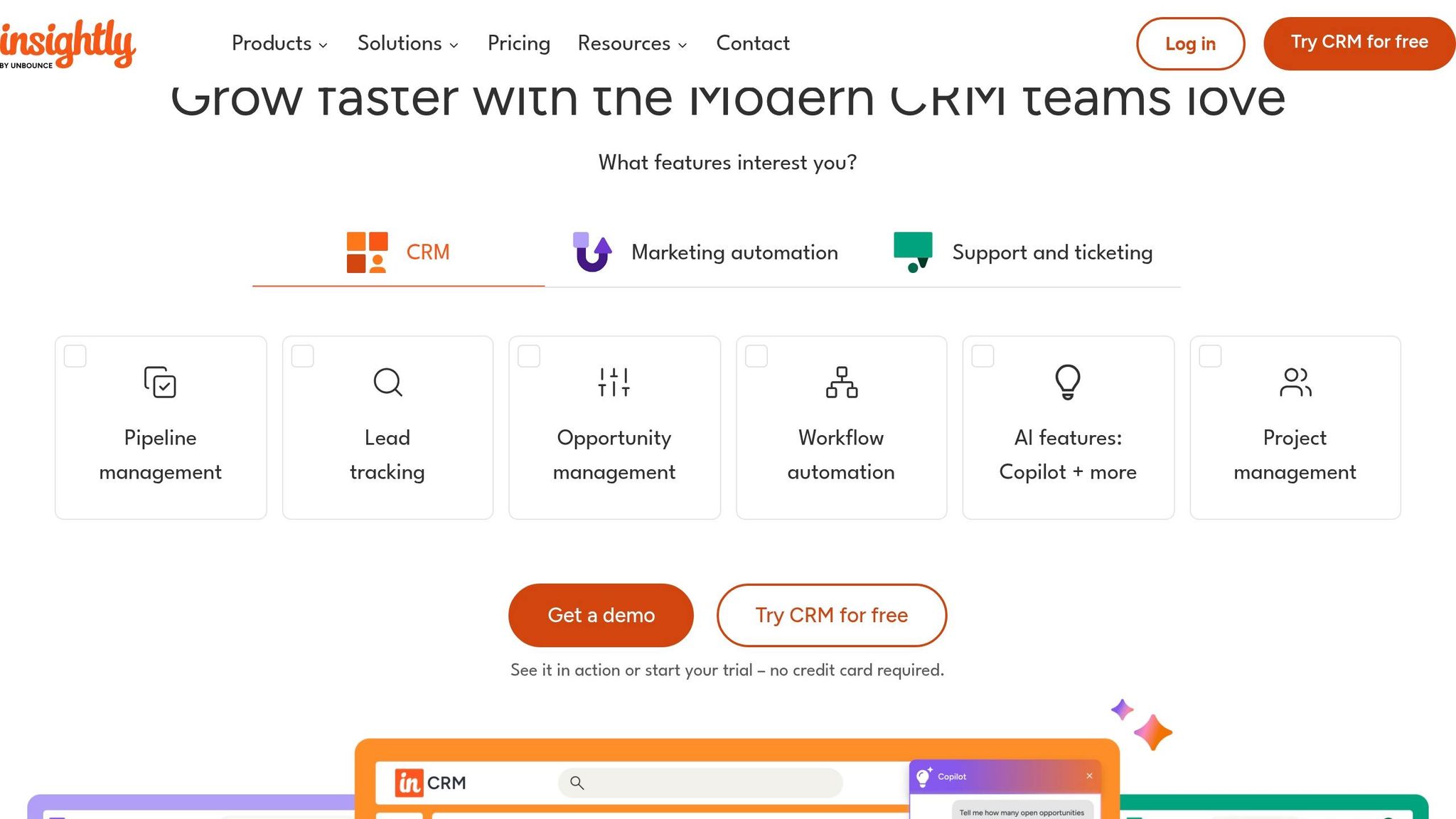
Insightly works well for businesses that keep serving the customer after the deal closes. If you run a Rockwall home remodeling company, an IT service firm, or a marketing consultancy, it helps connect sales work to project delivery. That makes the move from “sold” to “delivered” a lot easier to track.
Starting Price
Insightly has a Forever Free plan for up to 2 users. It includes basic contact tracking, project management, and a 2,500-record limit.
Paid plans start at $29 per user/month when billed annually for the Plus tier. That plan comes with 100,000 records and bidirectional email sync.
This setup makes the most sense if you need project handoff inside your CRM. If you don’t, the extra layer may feel like more than you need.
One cost issue stands out: workflow automation is locked behind the Professional plan at $49/user/month. For a very small team, that can be a tough pill to swallow.
Contact and Pipeline Tracking
Insightly uses customizable Kanban boards for pipeline tracking and Relationship Linking to connect contacts, organizations, and past projects. It also has activity sets, which can trigger task checklists when a deal hits a certain stage.
That’s handy when you’re juggling referrals, repeat customers, and the usual follow-up work that can slip through the cracks.
A useful feature here is Convert to Project. It lets you carry sales notes straight into delivery, so your team doesn’t have to start from scratch after the sale.
Built-In Communication
Insightly includes bidirectional email sync with Gmail and Outlook. You also get email templates and mass emailing. On the Plus plan, users can send up to 2,500 emails per day.
There’s no native dialer or SMS built in. But Insightly does connect with RingCentral and Kixie for one-click calling and automatic call logging inside the CRM.
Fit for Local Businesses
Insightly has a 4.2/5 rating on G2 based on 849 reviews. It’s a solid option for Rockwall home remodelers, IT service providers, and marketing consultants that need to manage work after the sale.
If your business is mostly transactional, though, you may not need the project side at all.
That’s what sets Insightly apart in the budget CRM space. It’s less about pushing a high number of deals and more about making sure the handoff to delivery doesn’t get messy.
How These CRMs Compare: Price, Follow-Up, Communication, and Local Fit
Here’s how the six CRMs compare on price, follow-up, communication, and day-to-day fit for Rockwall businesses.
Starting Price and Low-End Value
If low cost is the starting point, HubSpot and Freshsales stand out first because both have free plans. HubSpot’s free tier supports up to 2 users with 1,000,000 contacts. Freshsales’ free plan covers up to 3 users and includes a built-in phone.
Zoho CRM and Bigin also have free plans. Zoho CRM covers up to 3 users, while Bigin covers 1 user with 500 records. Insightly has a free plan too, but it tops out at 2 users and 2,500 records.
Pipedrive is the only one here without a free plan. It starts at $14/user/month and offers a 14-day trial. Among paid entry plans, Bigin Express at $7/user/month is the cheapest upgrade, followed by Freshsales Growth at $9/user/month.
Price is one part of the story. The bigger question is whether the CRM helps your team keep leads moving instead of letting them sit.
Contact and Pipeline Tracking
This is where a CRM earns its keep. The big win is simple: fewer missed follow-ups.
All six CRMs use visual pipeline boards, but they don’t all guide users the same way. Pipedrive’s Rotting Deals and Freshsales’ stale deal indicators both flag inactive leads on their own. That’s helpful when a callback slips through the cracks.
Zoho CRM’s Blueprint goes a step further by requiring certain steps before a deal can move ahead. HubSpot keeps each contact on one timeline with tasks and reminders, which makes it easier to see what happened and what needs to happen next.
Bigin keeps things lighter with a drag-and-drop board and basic workflow automation. Insightly adds a Convert to Project feature, so sales notes move into delivery after the deal closes instead of forcing the team to start from scratch.
If your business runs on estimates, callbacks, repeat service, or referral leads, pipeline visibility matters just as much as monthly cost.
Built-In Communication Tools
For many local businesses, communication tools make or break the CRM. If your team has to jump between inboxes, phone apps, text tools, and sticky-note reminders, things get messy fast.
Freshsales and Zoho CRM are the strongest here. Freshsales includes a built-in phone on every plan. Zoho CRM pulls email, phone, live chat, WhatsApp Business, and social media into one feed.
HubSpot covers email tracking, live chat, and a meeting scheduler on its free plan, but SMS needs a third-party integration. Bigin includes a built-in phone system and WhatsApp Business sync.
Pipedrive needs its Advanced plan for two-way email sync, and it doesn’t include a native dialer or SMS. Insightly handles email well, but it also lacks a native dialer and leans on integrations like RingCentral for calling.
So if your front desk, sales rep, or office manager spends half the day returning calls and booking appointments, these differences can save time - or add one more thing to juggle.
Fit for Local Business Types
The best choice depends less on price alone and more on how the business runs.
- HubSpot fits retail shops, consultants, and real estate agents that depend on email and scheduled callbacks.
- Zoho CRM works well for contractors, salons, and agents that need appointments, invoices, and field visit tracking in one system.
- Bigin makes sense for small Rockwall teams that want structure without a heavy setup process.
- Freshsales is a good match for appointment-heavy or phone-first businesses like dental practices, law firms, and real estate offices.
- Pipedrive fits sales-led businesses where moving deals through the pipeline is the top job.
- Insightly works well for Rockwall home remodelers, IT service providers, and consultants that need to manage work after the sale closes.
For Rockwall businesses, the practical takeaway is pretty simple: the best CRM is the one that lines up with how your team already works - whether that means handling referrals, tracking repeat customers, or keeping local leads from going cold.
Pros and Cons of Each CRM
No CRM is perfect. Each one has a clear upside, and each one comes with a trade-off.
The table below gives you a fast way to compare what each tool does well, where it falls short, and the kind of business it tends to fit best. Use it to narrow your shortlist before you move to the final recommendation.
| CRM | Key Pros | Notable Cons | Best For |
|---|---|---|---|
| HubSpot CRM | Free plan; unlimited contacts; up to 2 users | Jumps to $90/user/mo for Pro; no built-in invoicing | Solo owners and very small shops moving off spreadsheets |
| Zoho CRM | Most features per dollar; free for up to 3 users | Steep learning curve; interface can overwhelm beginners | Tech-savvy teams that want deep customization on a budget |
| Bigin by Zoho CRM | 30-minute setup; visual pipelines; WhatsApp integration | Best for teams of 1–20; limited advanced workflows | Small businesses outgrowing spreadsheets |
| Freshsales | Built-in phone system; $9/user/mo paid entry | Free tier removes automation and reporting; no native appointment scheduling | Teams that rely mainly on phone and email |
| Pipedrive | Clean UI; strong activity-based tracking and reminders | No free plan; lacks native SMS and booking tools | Businesses with a defined, multi-step sales process |
| Insightly | Free plan for 2 users; Convert to Project feature | Workflow automation locked behind $49/user/mo plan; no native dialer | Service businesses managing work after the sale closes |
A quick way to think about it:
- HubSpot CRM is a simple starting point, but paid costs climb fast.
- Zoho CRM gives you a lot for the money, though it can feel like a lot at first.
- Bigin by Zoho CRM keeps things light and easy for smaller teams.
- Freshsales makes sense if phone and email sit at the center of your sales work.
- Pipedrive works well when your sales steps are already clear.
- Insightly stands out when the job keeps going after the deal is won.
Use this summary to trim your options before the final recommendation.
Which CRM Should You Pick?
Pick the CRM that matches how your team works right now. Once you compare price, follow-up, and day-to-day fit, that’s what the decision comes down to.
If you want to start for free, HubSpot CRM is the safest bet. Its free plan includes unlimited contacts, and you don’t need a credit card to get started.
Freshsales works well for phone-first teams. Pipedrive makes sense for sales-led teams that want a clean pipeline.
If you run a small local team and you’re trying to move away from spreadsheets, Bigin by Zoho CRM stands out. It’s built for businesses with about 1 to 20 employees, and it gives you a clear path to move into Zoho CRM as your business grows.
The big thing here is simple: fast follow-up beats a long list of extra features. For Rockwall businesses, the best CRM is the one your staff will use every single day.
FAQs
How do I choose the right budget CRM for my business?
Start with ease of use, clear per-user pricing, and integrations with the tools you already use, like email, calendars, accounting, or booking systems.
Then check the basics that make day-to-day work smoother: a mobile app, automated email and call logging, and a simple sales pipeline. For small local businesses, a solid free tier or low-cost starter plan can give you room to grow without paying for features you don’t need yet.
Which CRM is easiest to set up for a small local team?
OnePageCRM is a top pick for small local teams because its clean, inbox-like interface is easy to use right away. You don’t need a consultant or any technical know-how. Most teams can get started in about four minutes.
If you want a free, all-in-one option, HubSpot CRM can usually be set up in an afternoon. And if you run a service-based business, Sammie comes with pre-built workflows and video tutorials, so most owners can go live within a few days.
When should I move from a free CRM plan to a paid one?
Consider upgrading when your business starts bumping into the free plan’s limits. Common signs are needing advanced automation, custom reporting, or native integrations with tools like field service scheduling and invoicing.
It may also be time to move up if you go past user or contact limits, or if manual tasks are eating up too much time. A paid plan can give you the efficiency and insight you need to scale.
Related Rockwall Businesses
-
Lead Fuel CRM
Your Entire Business in One App. Phone, email, text, invoicing, contracts, automation, AI, websites, funnels, reviews, s
-
PxlPerfect Designs
At PxlPerfect Designs, we believe in more than just websites and SEO - we believe in helping businesses grow, supporting
-
Cards on the Harbor
Cards on the Harbor is Rockwall's collector store for verified Pokemon singles, rare vintage foils, and factory-sealed b